
What Is Schema Markup? Why It Matters for SEO & AI (2026)
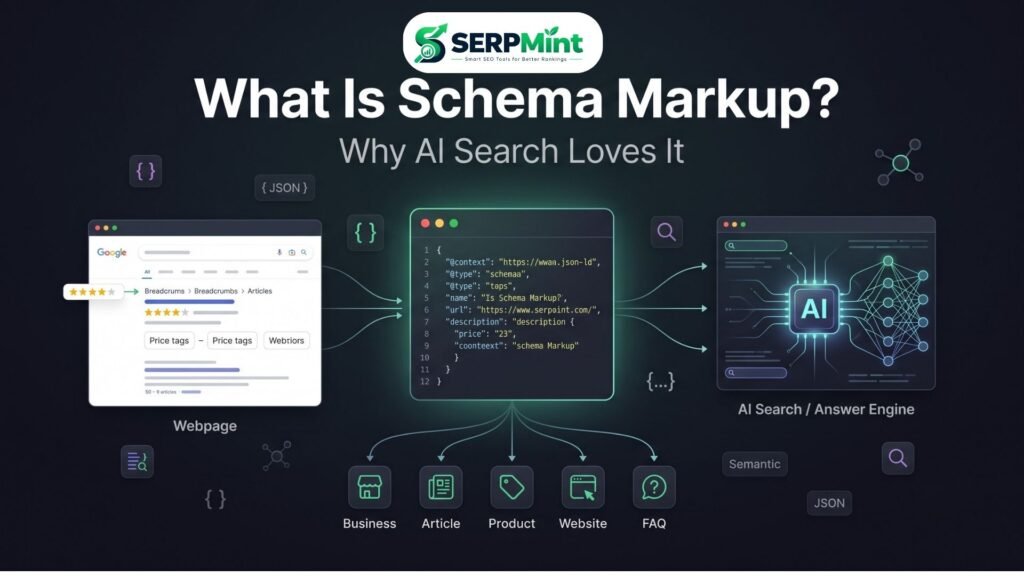
Search for a recipe, a product or a local business and you’ll see two kinds of results. One is a plain blue link. The other shows star ratings, prices, FAQ drop-downs or a breadcrumb trail. That extra layer usually comes from structured data. So what is schema markup, and why does it matter more than ever in an AI-powered search world? This guide explains what schema markup is, how JSON-LD works, the five most useful schema types, and how to add schema to your site without writing code.
What Is Schema Markup? (In Plain English)
Schema markup: a form of structured data that helps search engines understand the meaning and context of webpage content.
In practice, it is code you add to a page that labels the information on it. Most webpage content is written for humans. Schema adds a machine-readable layer that tells a search engine: this is an article, this is its author, this is a business, this is its address, this is a product and this is its price.
A helpful analogy is a nutrition label. A cereal box is designed for shoppers, but the label presents the key facts — calories, ingredients, serving size — in a standardized format that any system can read. Schema markup does the same for a webpage.
Take the word “SERPMint.” Without context, a crawler must guess whether it is a company, a product, a person or a casual brand mention. Organization schema removes the guesswork by explicitly stating: this is an organization, here is its website, here is its logo.
Structured Data vs. Unstructured Data
Unstructured (plain) content: “SERPMint is an SEO tools website that provides free SEO tools.”
Structured interpretation of the same fact:
- Name: SERPMint
- Type: Organization
- Website: https://serpmint.tech
- Description: Free SEO tools platform
Search engines are genuinely good at reading normal text — structured data doesn’t replace that ability. It adds explicit signals, so the facts that matter are interpreted consistently rather than inferred.
How Schema Works: A 60-Second Explanation
Three terms get mixed up constantly, so let’s separate them first:
- Structured data — the general idea of organizing information in a machine-readable way.
- Schema.org — the shared vocabulary of types and properties (Organization, Article, FAQPage) maintained by Google, Microsoft, Yahoo and Yandex.
- JSON-LD — the lightweight format most sites use to deliver that vocabulary. It lives in one script block, separate from your visible HTML, which makes it easier to add and maintain — the main reason Google recommends it.
Step 1 — You add structured data. A JSON-LD script is placed in the page’s HTML, usually in the head or body.
Step 2 — Search engines read it. When crawlers visit, they parse the script and connect properties to entities: who published this, what kind of page it is, where the business is located.
Step 3 — Search systems can use it. Possible outcomes include better content understanding, clearer entity information, and eligibility for rich results that Google supports for your content type. Eligibility is the key word — being eligible never guarantees a rich result will appear.
Anatomy of a JSON-LD Example
Here is a simple, valid LocalBusiness example:
{
  "@context": "https://schema.org",
  "@type": "LocalBusiness",
  "name": "Example Business",
  "url": "https://example.com",
  "telephone": "+1-000-000-0000",
  "address": {
    "@type": "PostalAddress",
    "streetAddress": "123 Main Street",
    "addressLocality": "New York",
    "addressCountry": "US"
  }
}
Five components do most of the work:
- @context — declares the vocabulary being used (schema.org).
- @type — states what the entity is (here, a LocalBusiness).
- name — identifies the business.
- url — points to its official webpage.
- address — a nested PostalAddress with structured location fields.
This is what “machine-readable” means in practice: no interpretation required. Any system that understands schema.org can extract the business name, phone number and city without parsing a single sentence.
The 5 Schema Types Every Website Needs
No website needs every schema type. The right markup depends on your business model, your content, and what each page actually shows. That said, five types cover most sites.
1. Organization Schema
Describes your brand as an entity: its name, url, logo, and sameAs links to social profiles, plus contact information where appropriate. What it can unlock: a consistent understanding of your brand across search, and support for organization-level information features where applicable.
2. WebSite Schema
Describes the website itself rather than one page. Historically, its SearchAction property powered the sitelinks search box in Google results. Important context: Google retired that standalone sitelinks search box display in November 2024. WebSite schema is still reasonable to implement — it is accurate, machine-readable description — but it teaches a useful lesson: search features tied to schema come and go, so implement markup for what it states, not for a specific SERP decoration you expect.
3. Article / BlogPosting Schema
For editorial content, Article (or its subtype BlogPosting) describes the headline, image, author, datePublished, dateModified and publisher. What it can unlock: clearer machine-readable understanding of your articles and eligibility for article-related search features where supported.
4. FAQPage Schema
Represents a visible question-and-answer section on a page. One honest caveat: Google has significantly restricted FAQ rich results, so most ordinary websites should not expect FAQ drop-downs in search. FAQPage schema still describes your content accurately for any consumer of structured data — but it must mirror questions users can actually see, never hidden or invented ones.
5. LocalBusiness or Product Schema
This one depends on your site. Local businesses should use LocalBusiness — or a more specific subtype like Restaurant or Dentist — with address, telephone and opening hours. Ecommerce sites should use Product with name, image, description, brand, sku, and an offers block carrying price and availability. The rule for both: mark up only what a visitor can see on the page.
Bonus: BreadcrumbList
A small but useful addition. BreadcrumbList communicates your hierarchy — Home › Tools › Schema Markup Generator — which clarifies site structure and can support breadcrumb presentation in results.
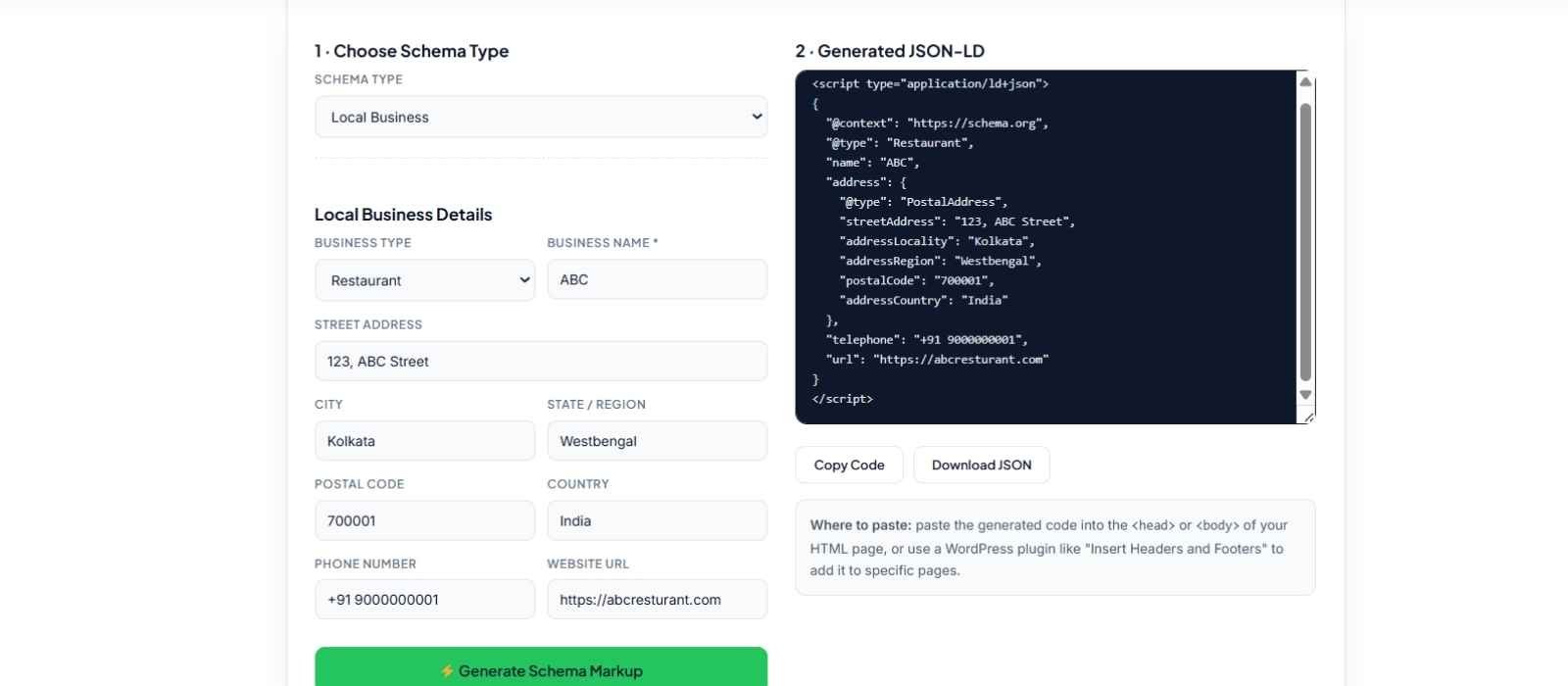
Don’t want to hand-write JSON-LD? The free Schema Markup Generator on SERPMint supports 13 schema types — including all five above — and outputs copy-ready structured data.
Why Schema Matters Even More in AI Search (2026)
Search in 2026 is no longer just ten blue links. LLM-powered answer engines, AI Overviews and generative search experiences summarize, compare and cite sources. These systems share one requirement: reliable, machine-readable information about entities and facts.
This is where schema earns its place in GEO (Generative Engine Optimization). Structured data explicitly states who you are, what you publish, and how your content is organized. It complements — not replaces — the fundamentals: high-quality content, clear authorship, consistent brand information across the web, crawlable pages, and strong internal linking.
The right framing: schema is part of AI-search readiness, not an AI citation hack. Well-implemented structured data provides clearer machine-readable context, which may help search and AI systems interpret your content and entities. Whether a specific engine cites you still depends on many factors beyond markup — above all, authority and content quality.
Does Schema Markup Improve Rankings? (The Honest Answer)
No — schema markup is not a direct ranking factor. Adding it will not, by itself, move a page up. What it does create is indirect advantage:
- Rich-result eligibility — structured data makes pages eligible for enhanced search features Google supports for that type.
- Better presentation — when enhanced results appear, they show users more useful information at a glance.
- Potential CTR improvement — richer presentation can earn more clicks, though results vary by query and industry.
- Better content and entity understanding — search engines get explicit context about the page and the entities on it.
So treat schema markup for SEO as what it is: infrastructure that helps your content get understood and presented well — not a ranking shortcut.
How to Add Schema to Your Website (3 Ways)
1. Manual JSON-LD
Developers can paste a JSON-LD script directly into the page’s HTML head or body. You get full control — and full responsibility for accuracy and maintenance as content changes.
2. SEO Plugin
Most WordPress SEO plugins generate baseline schema (Organization, Article, Breadcrumb) automatically. The catch: two plugins printing the same schema can produce conflicting markup, so audit what your site actually outputs.
3. Free Schema Generator
Beginners and non-coders can use a generator to build copy-ready JSON-LD by filling in a form — no syntax to memorize, nothing to break.
Don’t want to write JSON-LD from scratch? Use the SERPMint Schema Markup Generator to create copy-ready structured data without coding.
Generate Schema Markup Free →Always Test Your Schema
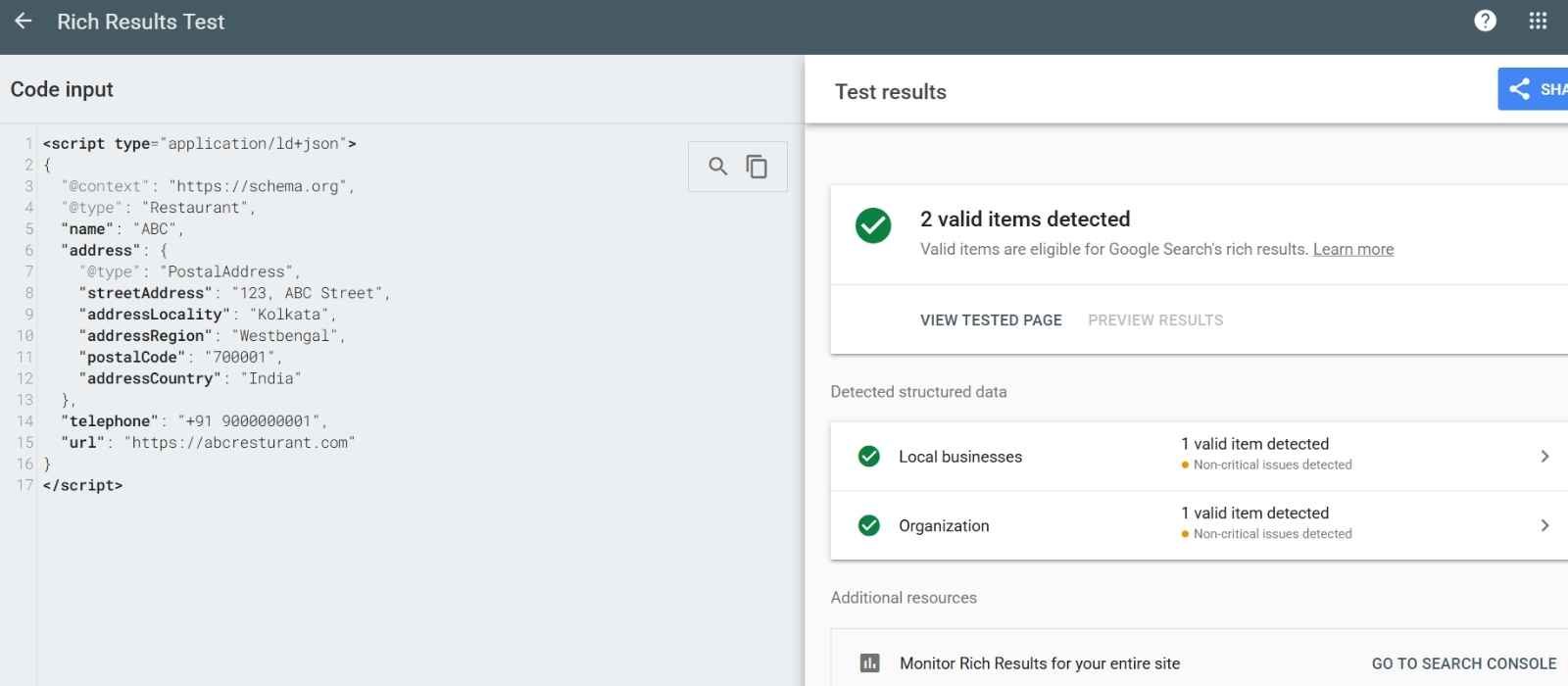
Whichever method you choose, test before you publish. Run your code through Google’s Rich Results Test and the Schema.org Markup Validator. Testing catches syntax problems, missing required properties, invalid values and eligibility issues. And remember: passing validation confirms your markup is well-formed — it still doesn’t promise a rich result.
Common Schema Mistakes to Avoid
- Marking up hidden or misleading content — markup must reflect what users can see.
- Using the wrong schema type — a service page is not a Product; pick the accurate type.
- Broken JSON syntax — one missing comma invalidates the whole block.
- Inaccurate properties — wrong dates, prices or addresses undermine trust in your data.
- Duplicate schema from multiple plugins — conflicting blocks confuse parsers.
- Schema that doesn’t match visible content — a quality problem, not a shortcut.
- Following outdated advice — schema-linked SERP features change; see the sitelinks search box.
- Never testing — silent errors mean silently missed eligibility.
- Adding every type because it exists — mark up what the page genuinely is.
- Treating schema as a ranking shortcut — it is infrastructure, not a hack.
Schema Markup FAQ
Is schema markup a ranking factor?
No. Schema itself is not a direct Google ranking factor. It supports rich-result eligibility and helps search engines understand your content, which can benefit performance indirectly.
JSON-LD vs. Microdata — which is better?
Both encode the schema.org vocabulary. Microdata lives inside HTML attributes; JSON-LD lives in a separate script block. For most implementations JSON-LD is easier to add, read and maintain, and it is the format Google recommends.
Can I use multiple schema types on one page?
Yes. A page can carry several related entities — for example an Article with BreadcrumbList and an FAQPage section — as long as each accurately describes visible content.
Can bad schema hurt my site?
Yes. Incorrect, misleading or spammy structured data can block rich-result eligibility and raise quality and compliance issues. Accuracy matters more than volume.
Do I need schema on every page?
No. Apply schema where it meaningfully describes the page — Organization on your homepage or about page, Article on posts, Product on product pages. A page with nothing to describe needs nothing.
Conclusion
If you’ve ever wondered what is schema markup and whether it deserves a place on your site, here is the short version: it tells search engines what your content represents, not just what it says. JSON-LD is the most practical delivery format, schema.org supplies the vocabulary, and five types — Organization, WebSite, Article, FAQPage, and LocalBusiness or Product — cover most websites. Schema won’t hack your rankings, but it supports rich-result eligibility, clearer entity understanding, and readiness for AI-powered search. Implement it accurately, test it, and keep it honest. Ready to add structured data without writing JSON-LD from scratch? Try the free SERPMint Schema Markup Generator — then pair your pages with well-written meta tags using the Meta Title & Description Generator, or explore all free SEO tools.