
How to Create an XML Sitemap & Submit It to Google (2026)
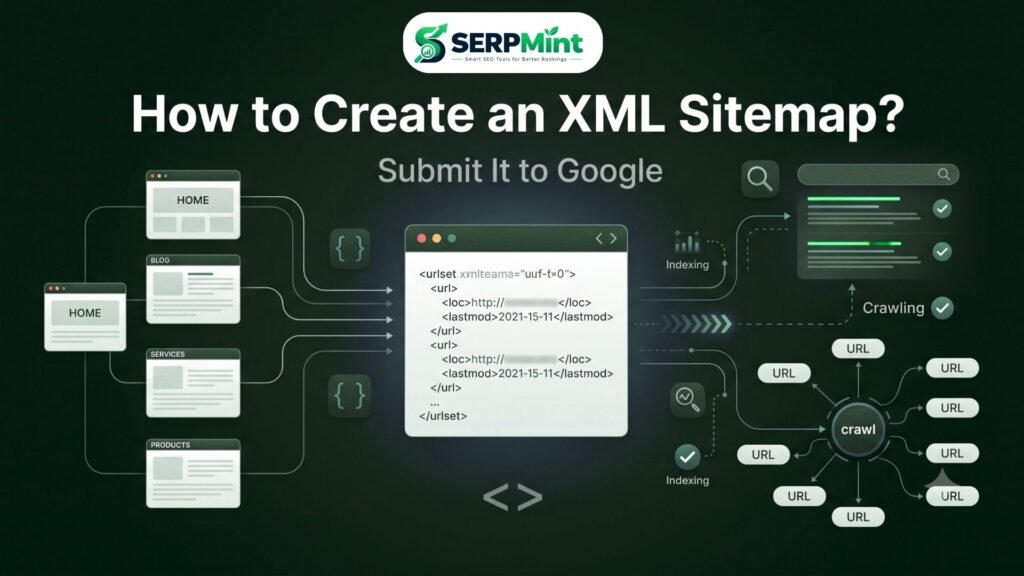
Think of an XML sitemap as a table of contents for search-engine crawlers. It doesn’t make pages rank — it simply hands search engines a structured list of the URLs you consider important, so nothing valuable gets missed. Sitemaps matter most for new websites, large ecommerce sites, sites that publish frequently, sites with complex architecture, and pages that aren’t strongly linked internally. This guide shows you what an XML sitemap is, whether your site already has one, which URLs belong in it, three ways to create one, how to submit it to Google, and the mistakes that quietly undermine it.
What Is an XML Sitemap? (In Plain English)
An XML sitemap is a machine-readable file containing the URLs a website wants search engines to discover. XML is just a structured text format with tags, similar in look to HTML, designed to be easy for machines to parse.
Here is a minimal, valid xml sitemap example:
<?xml version="1.0" encoding="UTF-8"?>
<urlset xmlns="http://www.sitemaps.org/schemas/sitemap/0.9">
  <url>
    <loc>https://example.com/example-page/</loc>
    <lastmod>2026-09-05</lastmod>
  </url>
</urlset>
The pieces that matter:
- urlset — the container that holds all URL entries.
- url — one URL entry.
- loc — the URL itself; the required core element.
- lastmod — the date the page was meaningfully modified. It should be accurate, not refreshed artificially to trigger recrawls.
What a Sitemap Does — and Doesn’t Do
What it does
- Helps search engines discover URLs
- Communicates which pages you consider important
- Supports discovery on new, large or poorly linked sites
- Provides last-modification information via lastmod
- Gives a clear picture of your URL inventory
What it doesn’t do
- Directly improve rankings
- Guarantee crawling
- Guarantee indexing
- Override robots directives
- Replace internal linking
- Fix poor-quality content
A sitemap helps search engines find pages; it does not convince them that every page deserves to be indexed.
Does Your Website Already Have a Sitemap?
Before creating anything, check — many sites already ship with a sitemap for WordPress or another platform.
WordPress core has included built-in XML sitemaps since WordPress 5.5, available at /wp-sitemap.xml. SEO plugins like Yoast SEO and Rank Math generate their own, richer sitemap systems, commonly exposed as a sitemap index such as /sitemap_index.xml. You don’t need a plugin just to have a sitemap — but if one is active, use its sitemap rather than maintaining a parallel manual file.
How to check
Try these addresses on your domain:
https://example.com/sitemap.xml
https://example.com/wp-sitemap.xml
https://example.com/sitemap_index.xml
Then inspect https://example.com/robots.txt and look for a line like:
Sitemap: https://example.com/sitemap.xml
The exact URL depends on your platform and configuration. The goal of this check is simple: avoid running multiple competing sitemap systems at once.
What to Include (and Exclude)
The principle: your sitemap should contain the URLs you actually want search engines to discover and potentially index.
Include: canonical URLs, indexable pages returning HTTP 200, and your important category pages, blog posts, product pages and service pages.
Exclude: noindex URLs, 404 pages, redirected URLs, duplicate URLs, non-canonical parameter variations, login/admin pages, cart/checkout pages, and temporary URLs.
Why it matters: a sitemap full of problematic URLs sends conflicting signals about which pages matter. Rather than “wasting crawl budget” in some automatic penalty sense, unnecessary URLs simply consume crawler attention and make your site’s URL signals less clean — which matters most on large websites.
How to Create an XML Sitemap (3 Ways)
1. Use a free XML sitemap generator
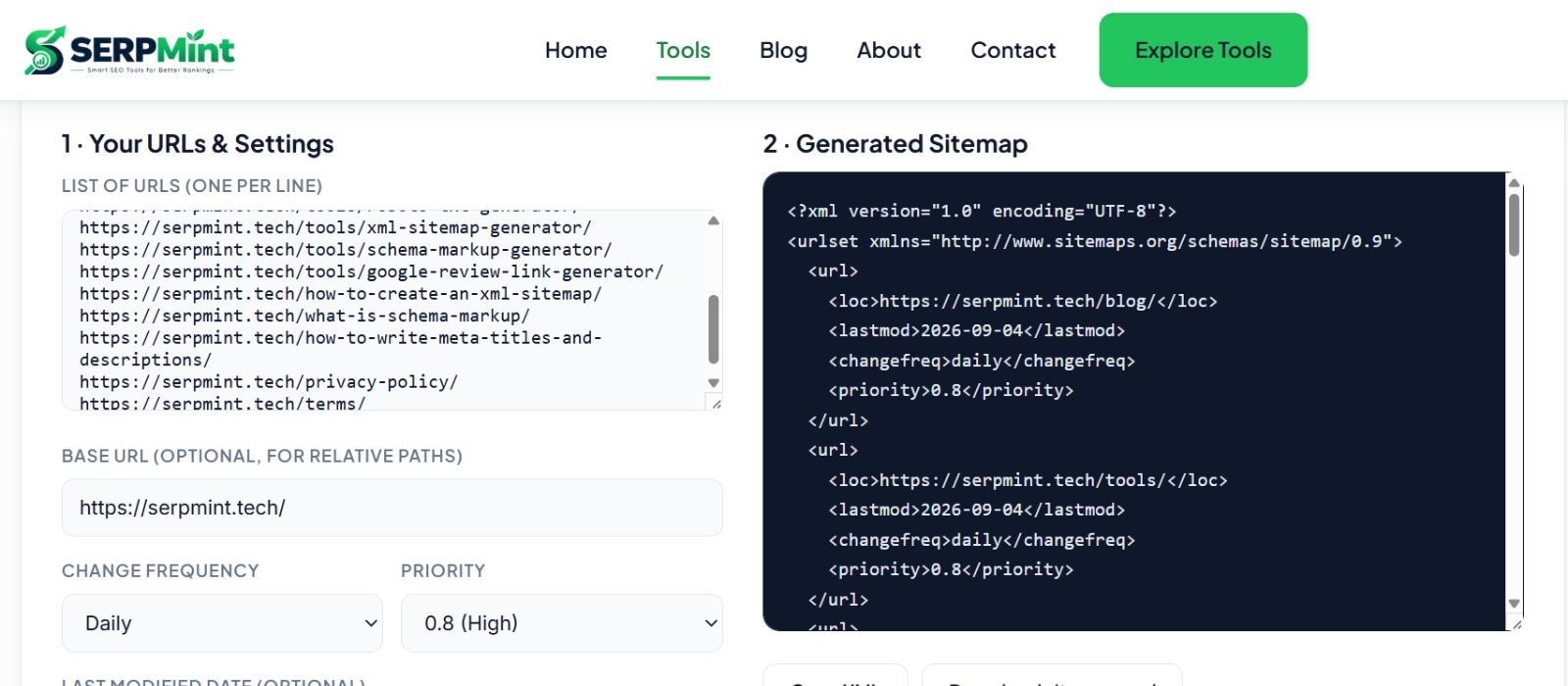
The simplest route for small sites, static sites and non-WordPress builds:
- Add your website URLs (or the slugs you want included).
- Set an accurate last modification date where supported.
- Generate the sitemap and review the XML.
- Download the file and upload it to your site root.
- Submit it in Google Search Console.
The SERPMint XML Sitemap Generator follows exactly this workflow — no XML syntax to memorize.
2. Use a WordPress SEO plugin
Plugins like Yoast SEO or Rank Math generate and maintain sitemaps automatically: URLs are discovered for you, updates happen when you publish, and there’s little technical work. Check the actual sitemap URL your plugin produces instead of assuming it.
3. Export URLs from a website crawler
For advanced users, crawling tools such as Screaming Frog can export indexable URLs to build or audit a sitemap — useful on large sites and for spotting discrepancies between what’s crawlable and what’s listed.
Use the free SERPMint XML Sitemap Generator to create a clean, copy-ready sitemap file in minutes.
Generate Your XML Sitemap Free →XML sitemap anatomy recap
| Element | Purpose | Required? |
|---|---|---|
| <urlset> | Contains URL entries | Yes |
| <url> | Defines a URL entry | Yes |
| <loc> | Specifies the URL | Yes |
| <lastmod> | Indicates meaningful modification date | Optional |
| <changefreq> | Suggested change frequency | Generally ignored by Google |
| <priority> | Suggested URL priority | Generally ignored by Google |
Note the honest status of changefreq and priority: Google largely ignores both. Modern sitemap work is about clean URL selection and accurate lastmod — not legacy optimization tricks.
How to Submit Your Sitemap to Google
Step 1 — Make it accessible. Confirm the file loads publicly, e.g. https://example.com/sitemap.xml. If WordPress or a plugin generates it, use that system’s URL.
Step 2 — Add it to robots.txt (optional, recommended). A declaration like Sitemap: https://example.com/sitemap.xml helps crawlers discover the file. It’s useful, not mandatory. (Pair it with a clean file from the Robots.txt Generator.)
Step 3 — Submit in Google Search Console. Open Search Console, select the correct property, open Sitemaps, enter the sitemap path, and click submit.
Did it work?
Back in Google Search Console → Sitemaps, check the submission status. Then use the Page indexing report to see how URLs are being discovered, crawled and indexed. One crucial distinction: a sitemap submitted successfully ≠ every URL indexed. Google still makes independent crawling and indexing decisions.

Limits & When You Need a Sitemap Index
A single sitemap file may contain up to 50,000 URLs and 50 MB uncompressed. A gzipped file may be smaller on disk, but the limit applies to the uncompressed size.
When you exceed either limit — or simply want to organize content types — use a sitemap index: a file that references multiple sitemap files.
<sitemapindex xmlns="http://www.sitemaps.org/schemas/sitemap/0.9">
  <sitemap>
    <loc>https://example.com/post-sitemap.xml</loc>
  </sitemap>
  <sitemap>
    <loc>https://example.com/page-sitemap.xml</loc>
  </sitemap>
</sitemapindex>
Sitemap indexes are common on large sites, ecommerce stores, blogs with heavy publishing volume, and sites separating posts, pages, products or media sitemaps.
Common Sitemap Mistakes to Avoid
- Including noindex URLs — telling Google “index this” in the sitemap and “don’t index this” on the page creates conflicting signals.
- Including 404 URLs — deleted pages should come out of the sitemap when they go.
- Including redirects — point directly at the canonical destination instead.
- Using the wrong hostname — http vs https, www vs non-www, or the wrong subdomain breaks the whole file’s usefulness.
- Never updating a manual sitemap — stale files misrepresent your site.
- Running multiple conflicting sitemap systems — core + plugin + manual files can disagree; pick one source of truth.
- Blocking the sitemap — the file itself must be crawlable.
- Inaccurate lastmod dates — dates should reflect meaningful changes, not refreshes for attention.
- Expecting a sitemap to force indexing — submission is a request, not a command.
- Expecting rankings from a sitemap — sitemaps support discovery, not rankings.
XML Sitemap FAQ
Is an XML sitemap a ranking factor?
No. A sitemap is primarily a discovery and crawling aid, not a direct ranking factor. Its value is helping search engines find and understand your important URLs.
How many URLs can one sitemap hold?
Up to 50,000 URLs and 50 MB uncompressed per sitemap file, per the sitemap protocol. Beyond that, split into multiple files and reference them from a sitemap index.
Do small sites with good internal linking still need an XML sitemap?
A small, well-linked site can often be discovered without one. But a correctly configured sitemap is inexpensive to maintain and still useful — especially as the site grows or publishes new content.
How often should I update an XML sitemap?
Keep it synchronized with meaningful URL changes. Automatic generators and SEO plugins handle this for you; with a manual file, update it whenever you publish, remove or move important pages. Arbitrary daily refreshes add nothing.
Can I have more than one sitemap?
Yes. Multiple sitemap files are fine, and a sitemap index lets you organize them cleanly — by content type, section, or media kind.
Conclusion
An XML sitemap helps search engines discover your important URLs — it won’t boost rankings or guarantee indexing, but it removes discovery gaps, especially on new, large or complex sites. Keep it clean: canonical, indexable, 200-status URLs only, with accurate lastmod dates. WordPress users may already have one via core or an SEO plugin, and large sites should organize multiple files with a sitemap index. Finally, always verify submission in Google Search Console. Want to create a sitemap without manually writing XML? Try the free SERPMint XML Sitemap Generator — and if you’re preparing pages for indexing, pair it with schema markup and well-written meta titles and descriptions.